Guides
Sonauto AI Music Review 2027: Video Workflow Fit
- Written by
- Sonilo Team
- Published
Sonauto offers two complete songs from one brief. For a video editor, that choice happens under the approved picture. Which version leaves space for the narrator, turns near the reveal, and reaches the final frame cleanly? This Sonauto AI music review follows that decision through revision and export.
One naming detail matters before you start: this article covers sonauto-ai.com, the site in this brief. The earlier sonauto.ai service announced a move to Treblo in June 2026. Its accounts, API, and terms should not be attributed to the site reviewed here.
Quick Verdict for Video Creators
Sonauto AI looks most useful when you can describe a musical direction, compare two complete versions, and edit the chosen audio after download. It is less clearly suited to a cut that needs music to follow exact picture changes. The pages reviewed describe prompt- and lyric-led song generation, an instrumental option, extension, and paid MP3/WAV downloads. They do not establish video upload, frame-accurate cue placement, or an editing-app integration.
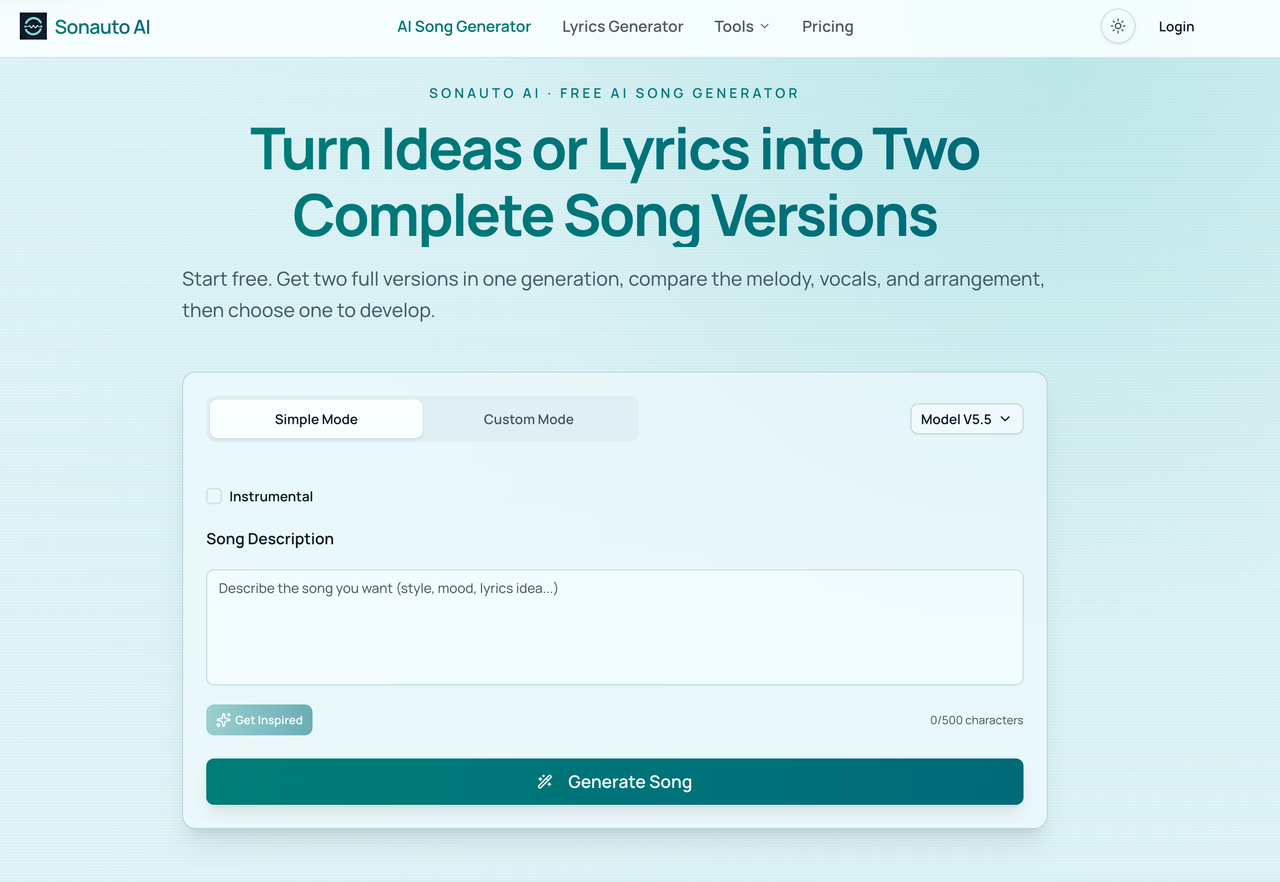
For voiceover, begin with an instrumental brief and judge it against the picture. An extension might help a weak ending. If the middle must change while the opening stays untouched, plan for manual editing or another generation; seamless local replacement is not documented.
What Sonauto AI Music Is Built to Do
Sonauto AI's About page describes an idea-to-song product: start from a scene, mood, lyrics, or musical direction, receive versions, and continue the one worth keeping. Its song generator page says one generation returns two complete versions from the same prompt and offers an instrumental setting. That is helpful when the editor is still choosing the character of the music.
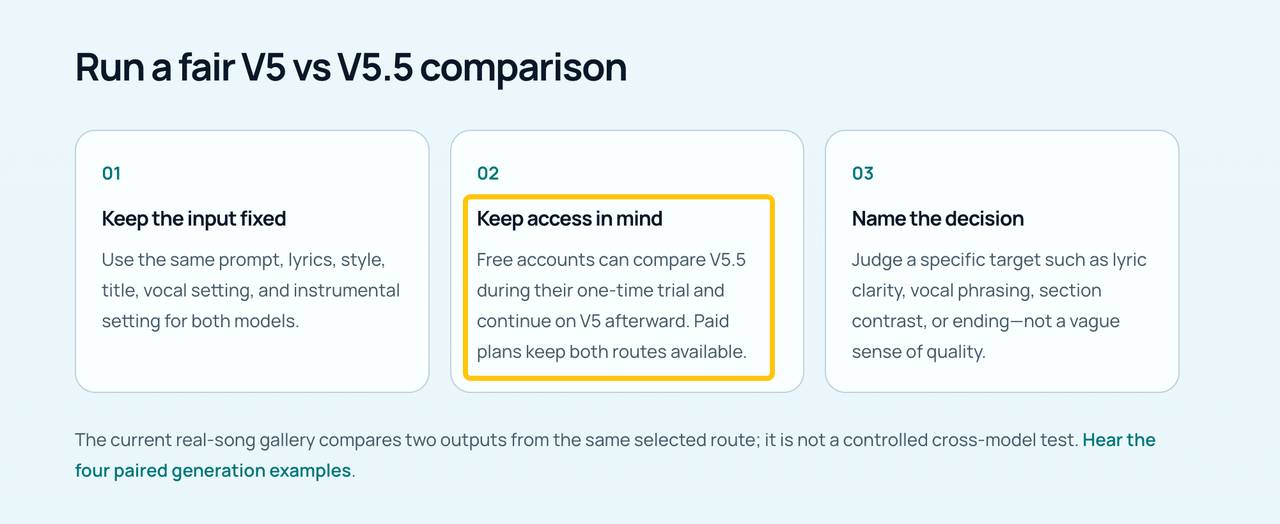
The current model guide distinguishes V5 and V5.5: free accounts get a one-time V5.5 trial before falling back to V5; paid plans include V5.5. Access says nothing about which will fit your cut better. The site's samples are not tests against a locked narrated video.
A text description of a reveal is not the reveal itself. The editor must compare the musical arc with the frames.
Evaluate One Finished-Video Task
For an editorial test, use one approved video with voiceover and a scene change. Mark the first spoken line, visual turn, and final frame. Keep those markers fixed across generations.
Briefing Music for a Locked Cut
Write the musical arc: quiet opening, lift after the reveal, resolved ending. Choose instrumental rather than counting on vocal removal. “Restrained electric piano and soft pulse under narration; open up after the reveal; settle before the end card” gives the model a job, though not video timecode.
Do not upload a client recording merely to improve the prompt unless you have permission to process it. Sonauto's terms place responsibility for submitted audio, lyrics, and other inputs on the user. For this task, the safe default is to describe the cut in words and keep the unreleased footage in your editor.
Choosing a Usable Generation
Audition both results under the same voiceover level. Note a drum fill masking a sentence, an early lift, or audio remaining after the final frame. The prettier hook may cost more to repair.
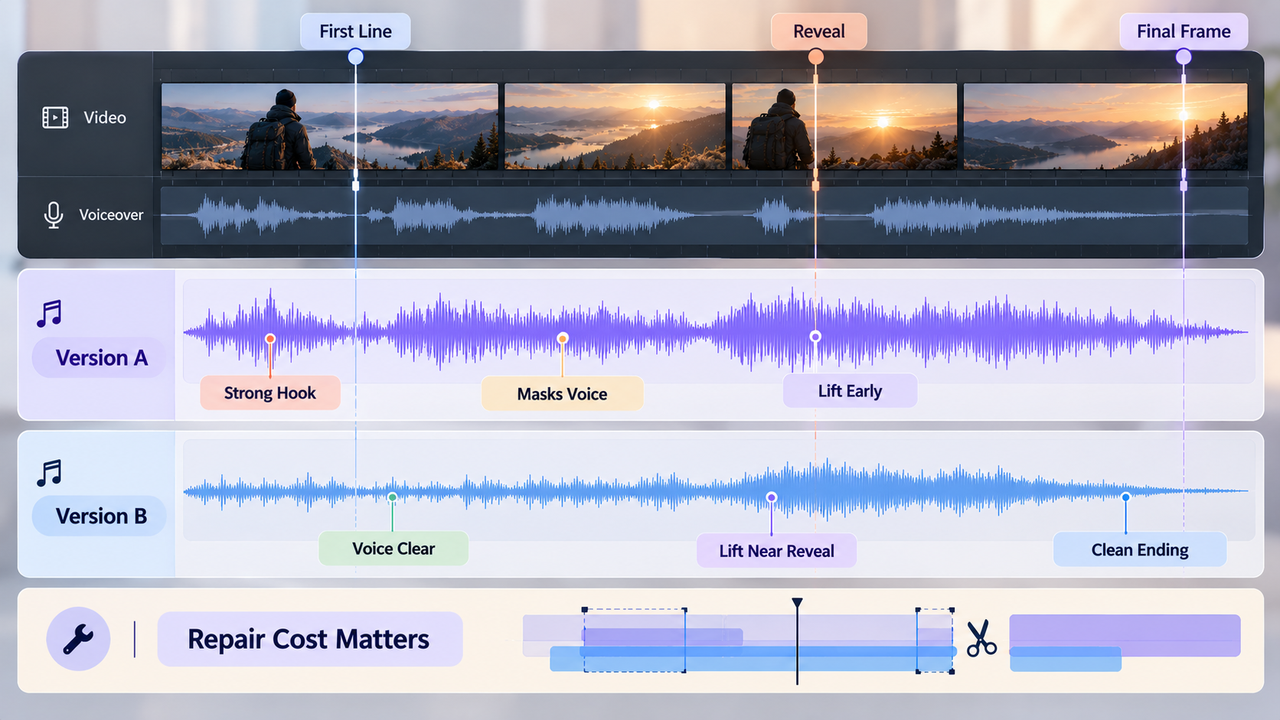
Keep the prompt, model label, date, and selected file. Otherwise “the first version, but with a shorter ending” becomes a search through downloads.
Finishing the Track in an Editor
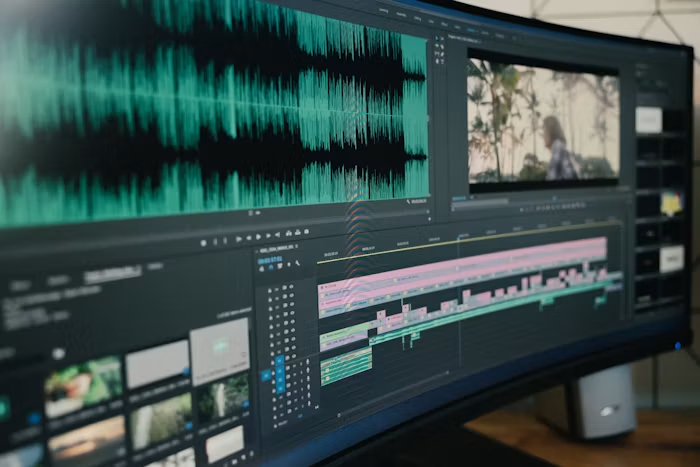
Paid plans list MP3 and WAV downloads. Bring the downloaded file onto a separate music track beneath the locked picture and original dialogue. Trim or fade the start and end, then automate level around speech. Check on a phone speaker as well as headphones: a busy lead can disappear at low volume while still making consonants harder to understand.
Sonilo's video soundtrack workflow explains why to judge music on the timeline, not in a music player. That guide is a separate editorial resource, not a Sonauto integration.
Three Workflow Questions
These questions separate documented controls from what a finished video demands. A general quality score would require real, labeled samples.
Does the Song Structure Follow the Edit?
Not automatically, based on the documented text-led flow. Sonauto can interpret requested sections and endings, but the site does not document upload-your-video scoring or frame-specific cue controls. Put the generated audio beneath the picture and listen through the reveal. If the music peaks before the image earns it, moving the audio may solve the issue; if that ruins the opening, the arrangement itself needs another pass.
A clean fade can rescue a quiet bed. It cannot always hide a chorus starting on the end card.
Can Weak Sections Be Revised Efficiently?
Sometimes, but the documented lever is limited. Sonauto's Extend Song tool lets a user choose a library song or permitted MP3, pick a continuation point, and describe a new section. Its page explicitly tells users to listen at the join for changes in voice, timing, harmony, and energy. That could be useful for an ending that runs out too soon.
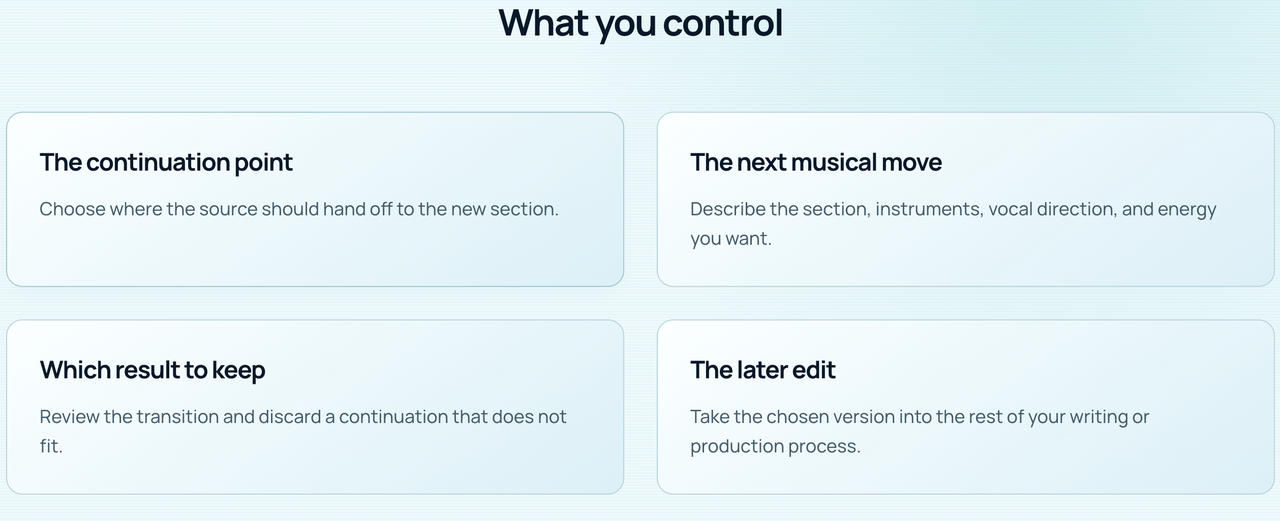
An extension is not evidence that you can replace a weak middle section while preserving the rest of a finished recording sample for sample. If the reveal needs a calmer bar in the middle, the editor may have to cut, crossfade, rebuild from another take, or regenerate. The right question is whether that repair is smaller than starting over.
Does the Export Support the Handoff?
For a paid user who needs a standard mixed track, the published MP3/WAV downloads provide an ordinary editor handoff. The site also describes Vocal Remover and Stem Splitter, but those are separation tools applied to mixed audio. Their outputs can contain bleed or artifacts; they should not be assumed to be the original, clean multitrack session.
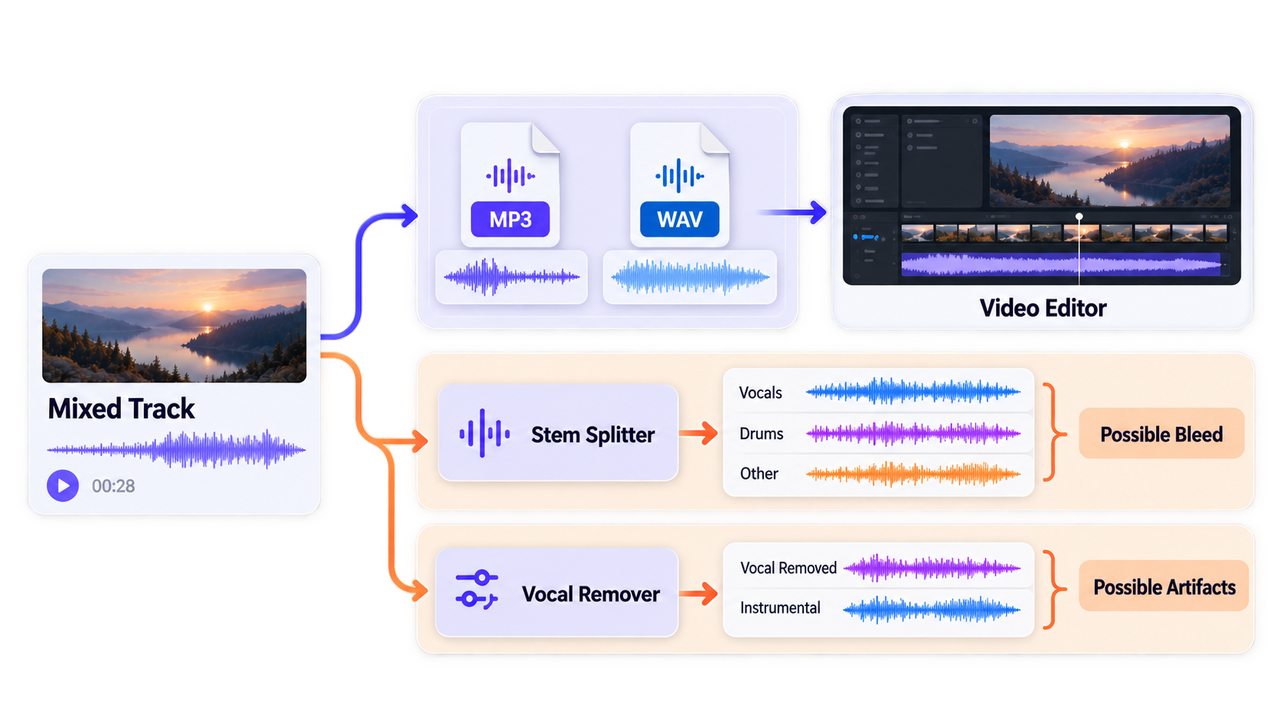
Verify separated files before promising independent parts. For one background cue, a mixed WAV may be simpler.
Current Access, Pricing, and Rights Checks
As checked on September 29, 2026, Sonauto's pricing page describes free listening with public songs by default and no free MP3/WAV download. Paid monthly and annual plans add downloads, private generations, and creative tools. Model access, download access, and publishing rights are three different questions; buying a download does not, by itself, answer the client-use question.
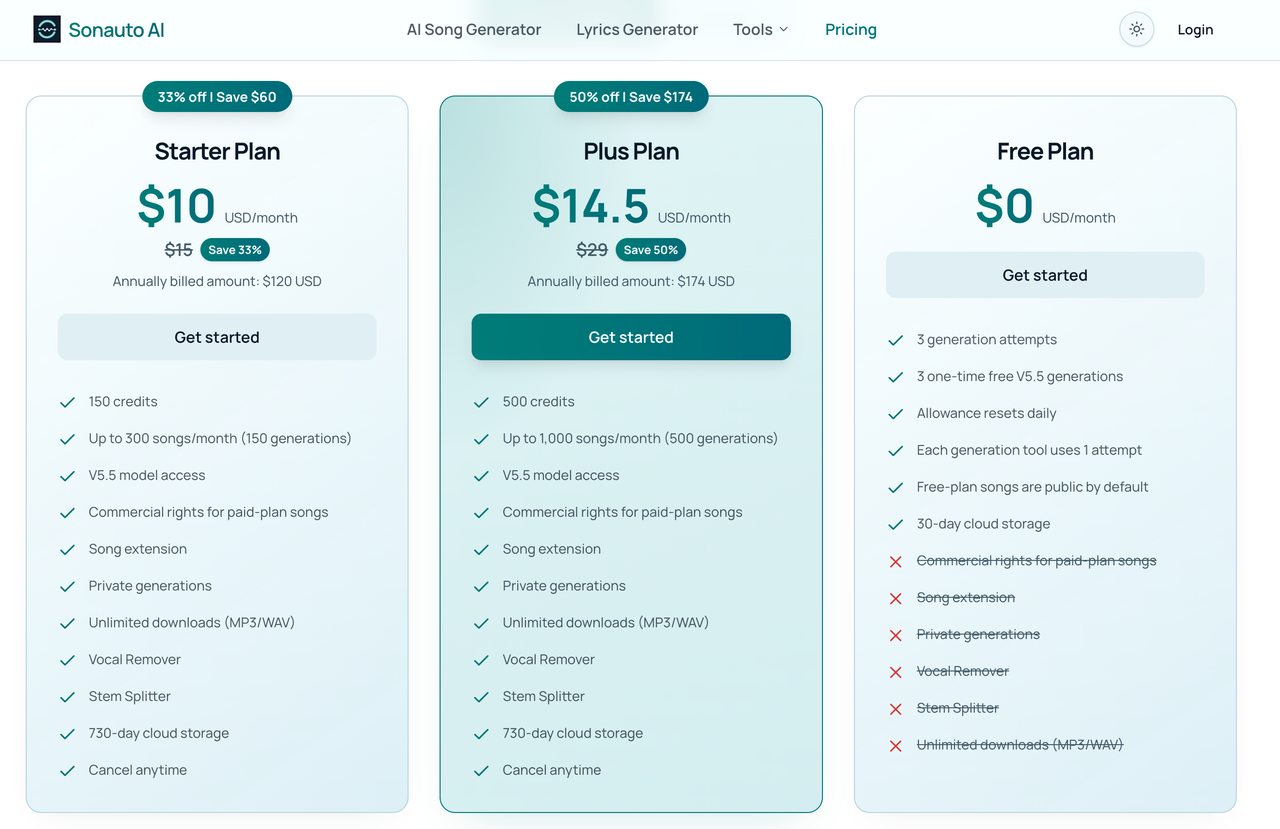
The site's License Agreement grants royalty-free commercial use to eligible songs generated during an active annual Starter or Plus subscription. It says that grant does not apply to Free or monthly-plan results. The agreement also makes clear that a license is not a guarantee of uniqueness, copyright registration, or freedom from third-party claims. Check the plan and rights attached to the specific generation, especially if a track was made before an upgrade. This is general information, not legal advice.
Keep the plan terms and any rights certificate with the export. Clear client or paid-media use before release. A publicly playable free song is not automatically a usable client soundtrack.
Who Sonauto Fits—and Who It Does Not
Sonauto may fit the editor who wants a song-shaped cue, can choose between two interpretations, and is comfortable making the last timing decisions in a video editor. It may also fit a music-forward montage where the cut can move slightly toward the track. The instrumental path keeps a lead vocal from fighting narration at the outset.
It fits less neatly when the picture cannot move and the music must accent several exact cuts. It is also a weaker documented match for a team that needs an API, shared review comments, or a guaranteed separate multitrack export. Those may exist somewhere in an account or future release; the reviewed public pages do not establish them. Do not buy the workflow you hope is there.
Limitations and Trade-Offs
The biggest trade-off is between musical development and picture control. Sonauto's song-first design gives you complete versions to react to. The editor then has to make those versions behave like cues: protect the speaker, find a usable transition, and finish on the right frame.
Conclusion
Sonauto AI is worth considering when the track can start as a song and the editor has room to shape its timing. Its documented strengths are two complete alternatives, an instrumental route, extensions, and paid audio downloads.
If footage must be the starting input, Sonilo offers a different video-to-music route. Sonilo publishes this article; that link is an option, not proof of better performance. Under either track, listen to the final picture. Can the voice breathe? Does the music turn with the scene? Does the last frame end cleanly?
FAQ
Can Sonauto projects keep earlier versions after an edit?
The reviewed sonauto-ai.com pages do not document a dependable version-history feature for edited songs. Keep the original download and name each extension or replacement separately. If you need to reverse a change for a client, the previous file is safer than assuming an undo history will survive.
Can teammates preview a track without signing in?
A song published to a public song page can be viewed through that public page, but the reviewed pages do not promise guest access to private drafts. Use a separate approval file for confidential work. Free songs are public by default, so check visibility before sending a client a link.
Does Sonauto publish an official API for automated workflows?
No public API documentation was found on sonauto-ai.com among the product pages reviewed. Do not use API information from Treblo, the renamed sonauto.ai service, as if it belonged to this site. Ask Sonauto AI support for a current developer reference before planning automation.
Can exports be downloaded again after a plan change?
The pricing page says cancellation takes effect at the end of the paid period and generation-time rights persist, subject to storage rules. The public pages reviewed here do not establish whether previously downloaded or stored files remain re-downloadable after a downgrade. Save the WAV or MP3, prompt, and license evidence before changing plans.
Does Sonauto preserve settings when a song is extended?
Not every setting is promised to carry forward. The model guide says derived actions keep the selected model for current V5/V5.5 songs, while extensions of older-model songs move to V5. The Extend tool uses source audio as context, but asks users to check the join. Save your prompt and settings separately, then compare the continuation before replacing an approved cue.


